 LYNX SHARE
Simple
Tracks, loops, a drum machine and quick recording, in one window.
Coming from BandLab, FL Studio Mobile or GarageBandLYNX SHARE is a DAW with three layouts in one program: by default it works the way FL Studio does, with the Channel rack, Piano roll, Playlist and Mixer and the same shortcuts; a Clip-launch layout launches clips and scenes in the style of Ableton Live; and a Simple layout mixes BandLab's one-window ease with FL Studio Mobile's way of working. It opens FL Studio projects (.flp), Ableton Live sets (.als), FL Studio Mobile projects (.flm) and DAWproject files, and exports all four back. It is free under the AGPL-3.0 and still an alpha.
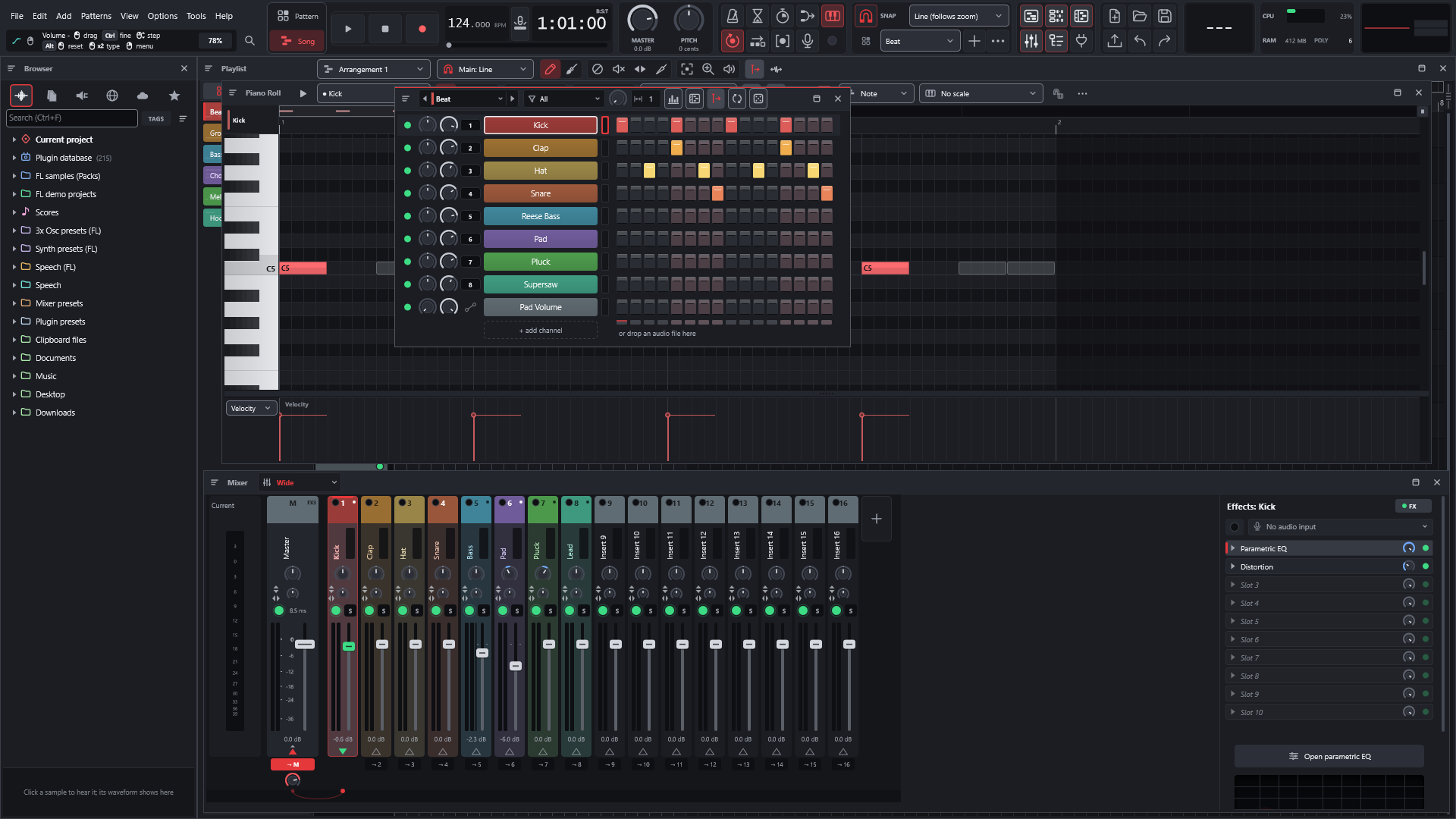
One program, three layouts. Switch any time in View › Layout style: the project stays the same.
Tracks, loops, a drum machine and quick recording, in one window.
Coming from BandLab, FL Studio Mobile or GarageBandThe Channel rack, Piano roll, Playlist and Mixer, with FL Studio's shortcuts. The default.
Coming from FL StudioNew to music software? Make a beat in a minute in the Simple layout. Coming from Logic, Cubase or Reaper? Start here. All tutorials: Learn.
You build patterns in the Channel rack and the Piano roll, arrange them with audio and automation clips in the Playlist, and mix in the Mixer: up to 500 insert tracks with 10 effect slots each, sends and sidechain. If you know FL Studio, the windows, mouse gestures and shortcuts are where you expect them.
Projects from other programs open directly. An .flp comes in with its channels, samples, patterns, arrangement, automation and mixer, and FL Studio's native plugins are replaced by LYNX SHARE's own engines. Live 11 and 12 sets open too, and their Session clips land in an optional clip grid with scenes. View › Layout style switches between the three layouts at any time: FL Studio's patterns, that clip grid in the style of Ableton Live, and a Simple layout with tracks, loops, pads and quick recording in one window, in the style of BandLab and FL Studio Mobile.
Third-party plugins load as VST3 and CLAP on every system, plus Audio Units on macOS and LV2 on Linux. VST2 plugins load on Windows and Linux, and on Windows 32-bit plugins run through a bridge. JSFX scripts run on every system too.
It is an alpha, so expect bugs and keep backups. Not every FL Studio plugin is recreated exactly: the plugin list gives the status of each one. Only some of Live's own devices are converted, and in .flm projects only some of FL Studio Mobile's instruments are recreated. The Windows build is not code-signed and the macOS build is not notarized yet, so both systems warn the first time you open it.
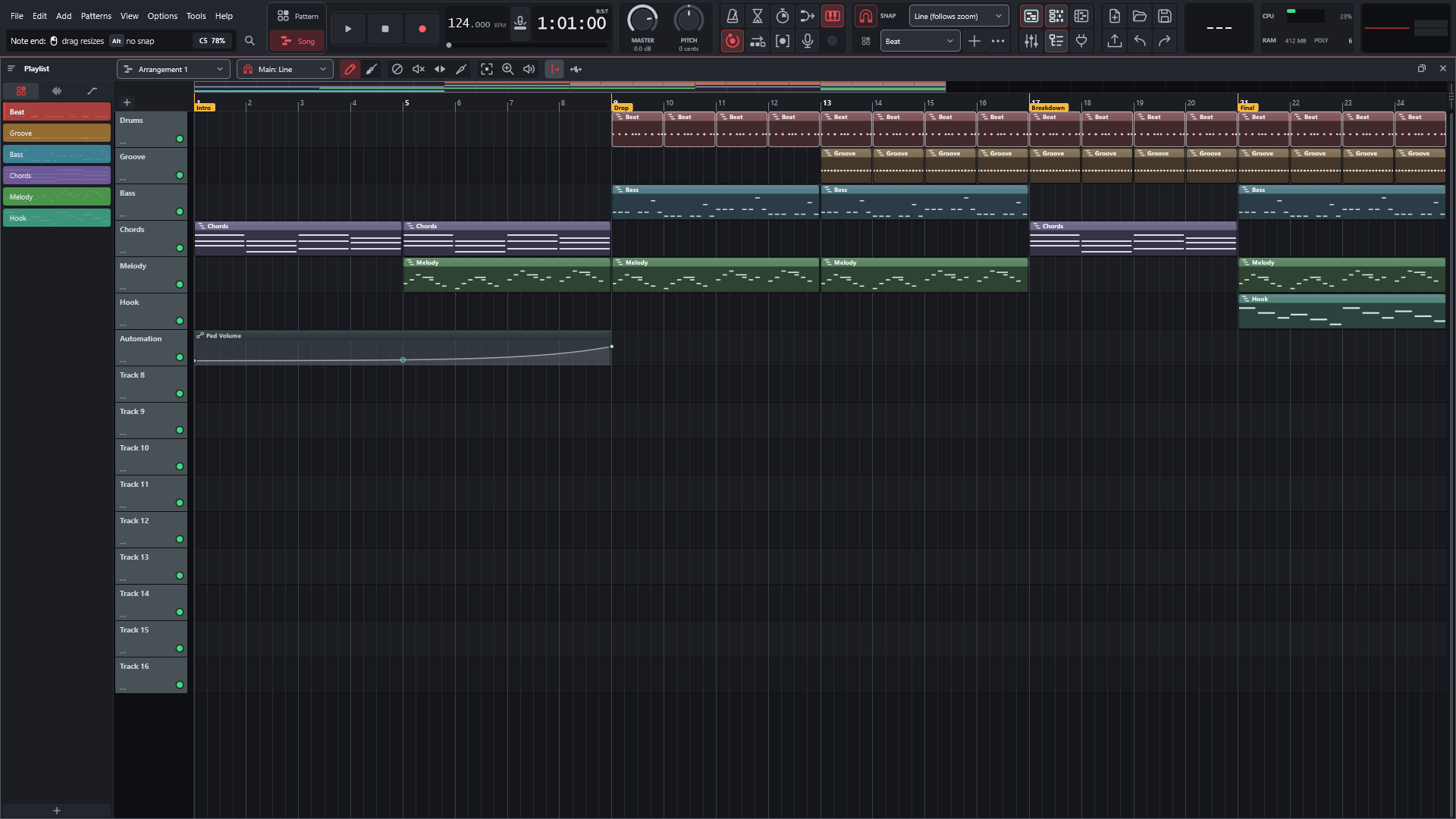
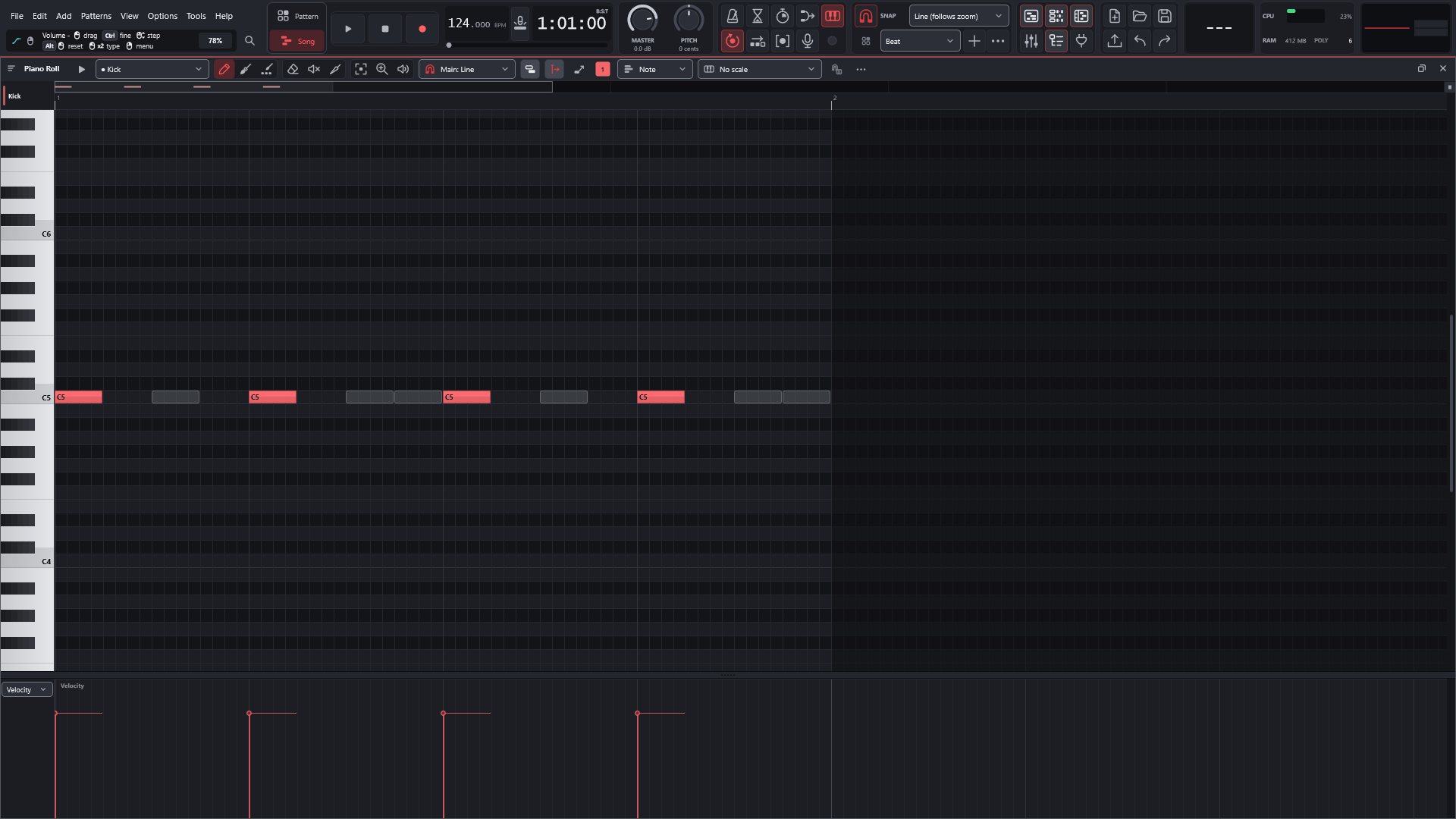
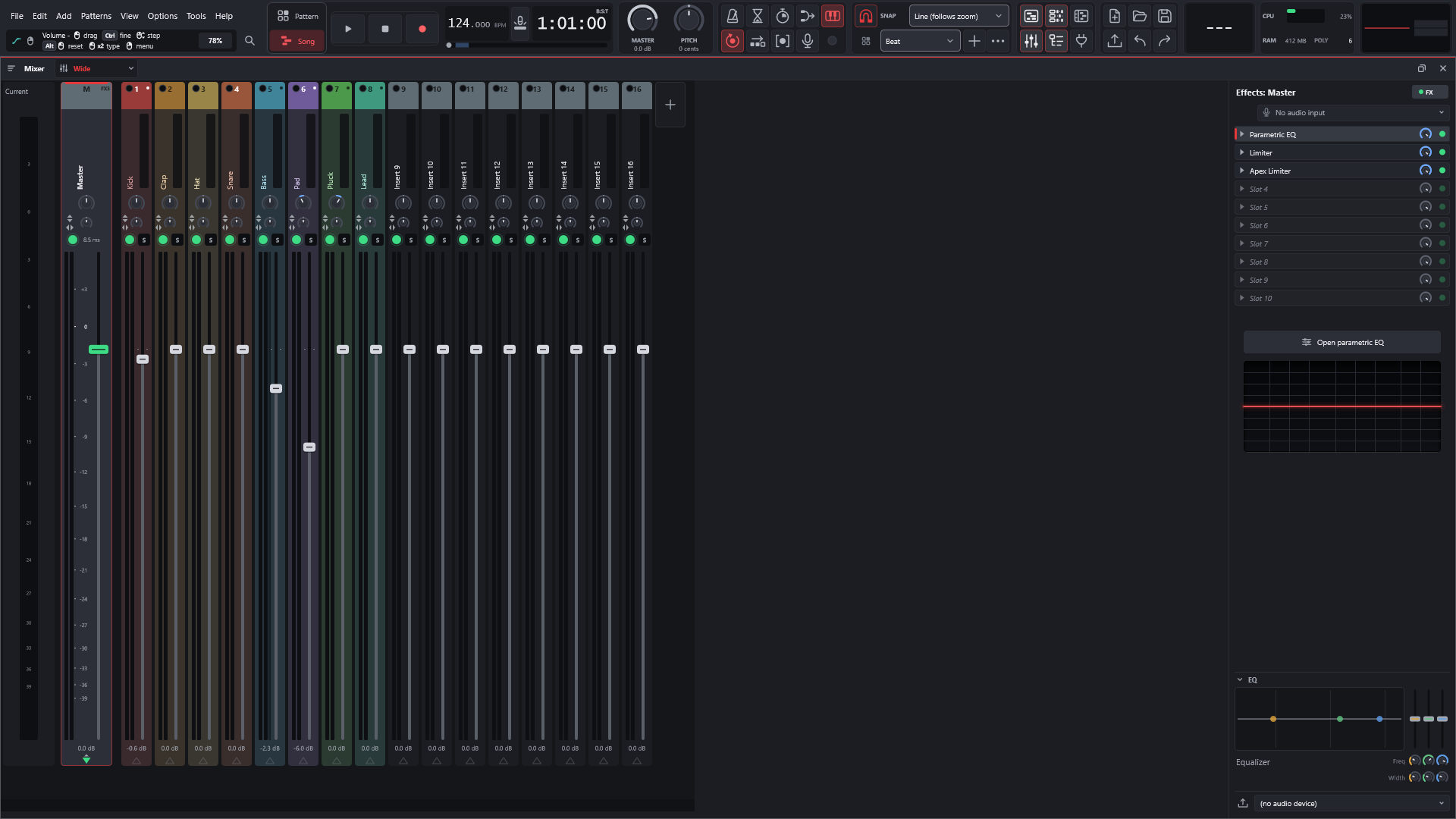
Screenshots are from LYNX SHARE's own demo project in the current release. More on the Features page.
Common complaints about DAWs, and what LYNX SHARE does about them
LYNX SHARE 0.1.31 adds a built-in Tracker with tracker module import, LYNX Model (physical models of mallet instruments), JSFX scripts, Linux arm64 builds, a welcome card and a start page, Search actions for every command, two projects side by side with copy and paste between them, a Sections lane, a Chord lane with Smart Tempo, Track versions, automation write modes, Capture automation and modulators for any knob, FL Studio Mobile .flm export, Live's rack devices inline with a Macro Map and Solo / Cue, ARA on a mixer insert, a plugin pack of 39 plugins (also LV2 on Linux, and a 20 MB .7z on Windows) and fixes for around 30 GitHub issues.
LYNX SHARE is written in C++20 with JUCE 8. The code, the tests and the notes on every FL Studio behaviour it reproduces are in one public repository. FL Studio and Live were studied from the outside and the code was written from scratch: nothing from Image-Line or Ableton is in it.
Bug reports and pull requests are welcome. Several fixes in recent releases came from users.
GitHub Report a bug Roadmap Discord
Discord: chat, help, feedback and release announcements.
Radiant is an independent, unofficial Android adaptation of LYNX SHARE for tablets and phones. It is a separate community project, not an official LYNX SHARE release, and it is not maintained or reviewed by us.
git clone https://github.com/Ka1-S/LYNX-SHARE
cd LYNX-SHARE
scripts/build-local.sh        # builds and runs the tests
LYNX --showcase Demo.lynx     # writes the demo project
Build instructions for each system are in docs/SETUP_DEV.md.
LYNX SHARE is free and open source, made by an independent developer. Donations keep the project going: they pay for the server behind sharing, the relay and the tests, the AI tools used in development, this website, the Apple developer account for signed Mac builds, and the reference plugins used to check the sound quality.
Donating is optional and never unlocks anything. Everything in LYNX SHARE stays free for everyone.
Free code signing provided by SignPath.io, certificate by SignPath Foundation.
Release files are built from the public source by GitHub Actions, and every signing request is approved by hand.
Authors, reviewers and approvers: Ka1-S (repository owner).
This program will not transfer any information to other networked systems unless specifically requested by the user or the person installing or operating it. Privacy policy
Opt-in only. After a crash or freeze LYNX SHARE asks before sending a report (Settings › General › Crash reports: Ask / Always send / Never send). A report holds a random id, the LYNX SHARE version, the operating system, CPU, graphics cards and drivers, screen size, audio device and settings, the crash or freeze file, the session's last 60 steps, and the names and versions of the third-party plugins that were loaded. User names in paths become <user>, and file names are left out unless you tick "include file names". No audio, projects or samples, no machine name and no IP address are stored. Reports are used only to fix bugs. To have one deleted, open an issue with its id (LYNX SHARE shows it after sending; every sent id is also listed in crash-reports/sent.log in LYNX SHARE's settings folder).