 LYNX SHARE
Create an automation clip
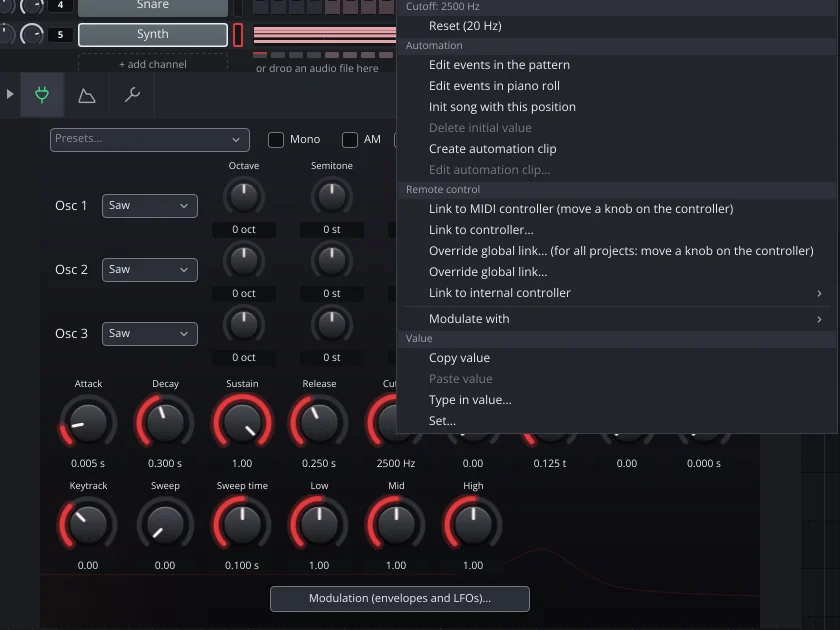
- Right-click any knob, here a synth's Cutoff, and choose
Create automation clip. - The clip goes into the Playlist, as long as the pattern, and a channel for it appears in the Channel rack.
Shape the curve
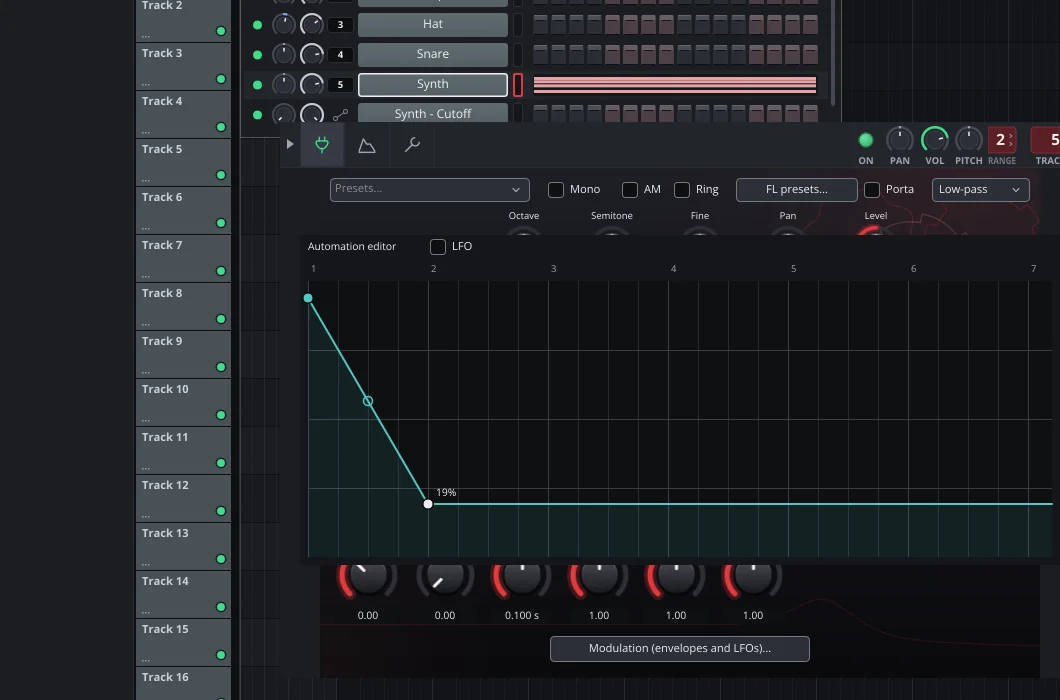
- The automation editor opens with the clip's curve. To open it later, right-click the knob and choose
Edit automation clip.... - Drag the points to shape the curve; click to add a point. Here the Cutoff starts high and falls over the bar.
Hear it

- Press Play in Song mode: the knob follows the curve every time the song plays.
- In the Simple layout, the
Automationbutton shows a lane under each track to draw in.
See also Automation.