 LYNX SHARE
The command palette
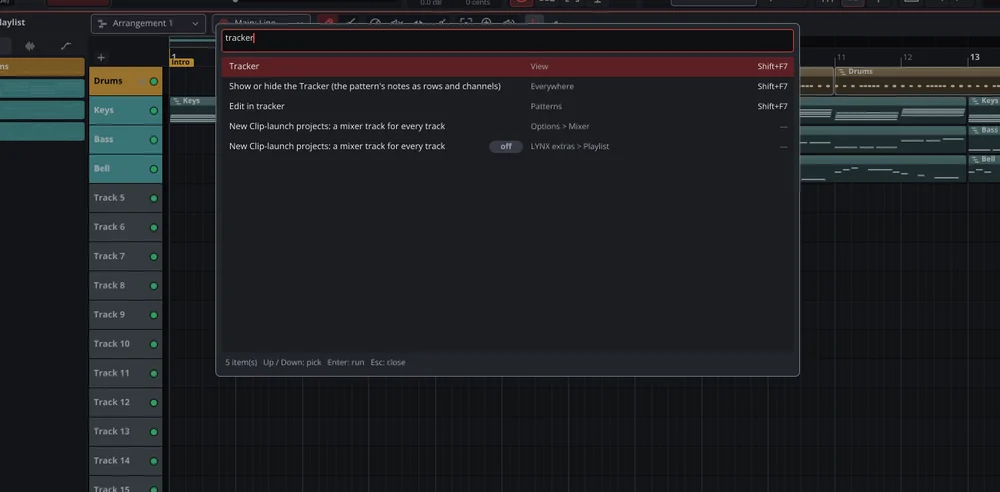
- Press
?(orCtrl+Shift+Y, or click the magnifier in the toolbar). - Type a few letters of what you want. The list holds every action with its shortcut, every menu item with its place, the LYNX extras' switches, the Settings pages and your recent projects. Actions are found by their English names in every language too.
- Pick a row with the arrow keys and press
Enter, or double-click it.Esccloses the palette.
Watch the CPU

- The CPU meter in the toolbar shows how much of the audio time the project uses while it plays.
- Double-click it to open the Plugin performance monitor: the load of every plugin and channel, now, on average and at its peak.

Let plugins rest
Tools › Switch smart disable for all pluginslets every plugin pause while it gets silence and makes no sound, as FL Studio's Smart disable does.- In the Clip-launch layout, right-click a track's title and choose
Deactivate Trackto unload its devices until you need them again.
See also Keyboard shortcuts.