 LYNX SHARE
Start the tour
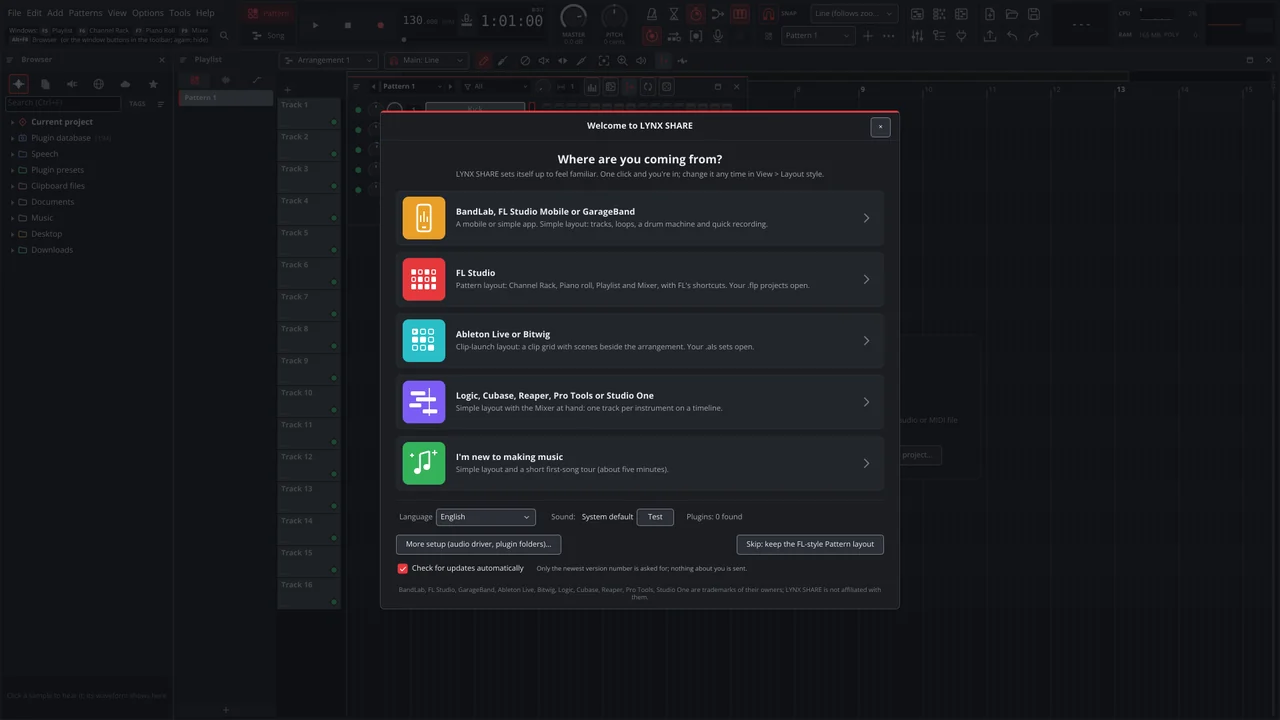
- On the first start, LYNX SHARE asks where you are coming from. Choose
I'm new to making music. - The Simple layout opens and the tour's card shows step 1 of 7. Each step points at the control to use.
- Do the step yourself, or click
Do it for me.Next ›moves on without doing it,‹ Backgoes back.
Beat, key and instrument
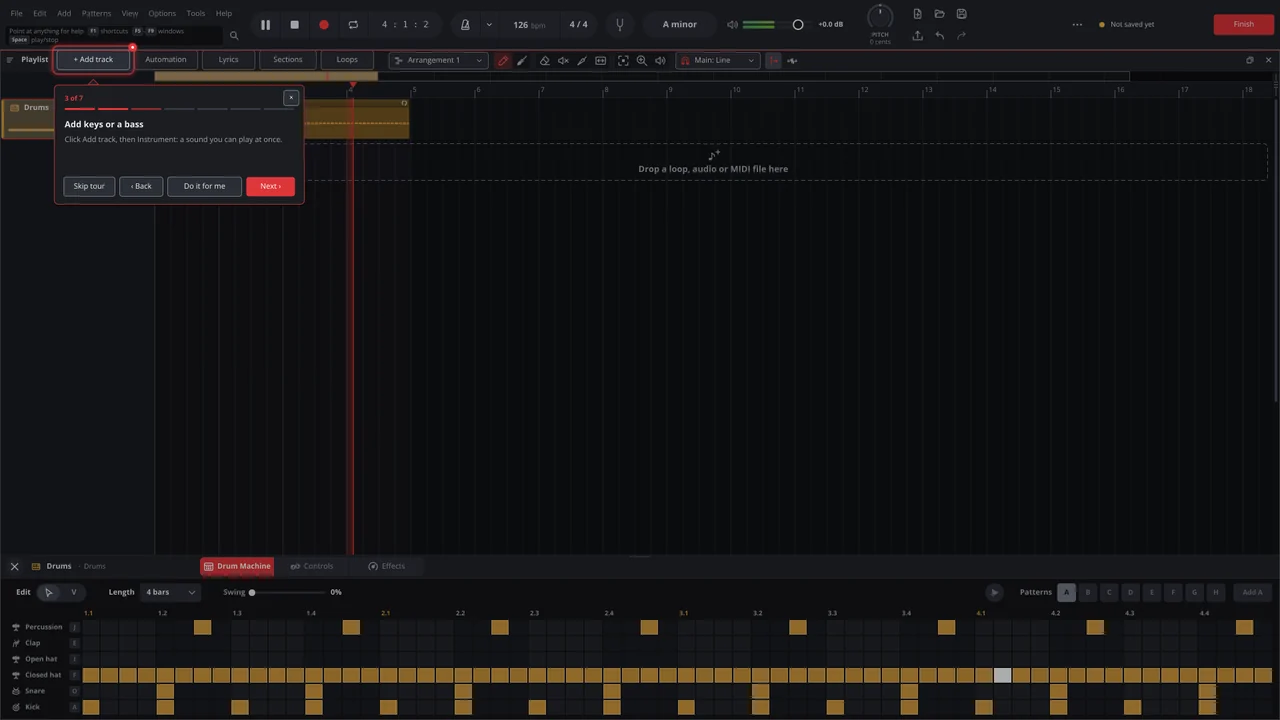
- A beat:
+ Add track, then Drums, then a starter beat. Press Space to hear it. - The key: click
Keyon the toolbar and pick one. Chords and loops follow it. - An instrument:
+ Add track, then Instrument: keys or a bass you can play at once.
Chords, loop, effect, finish
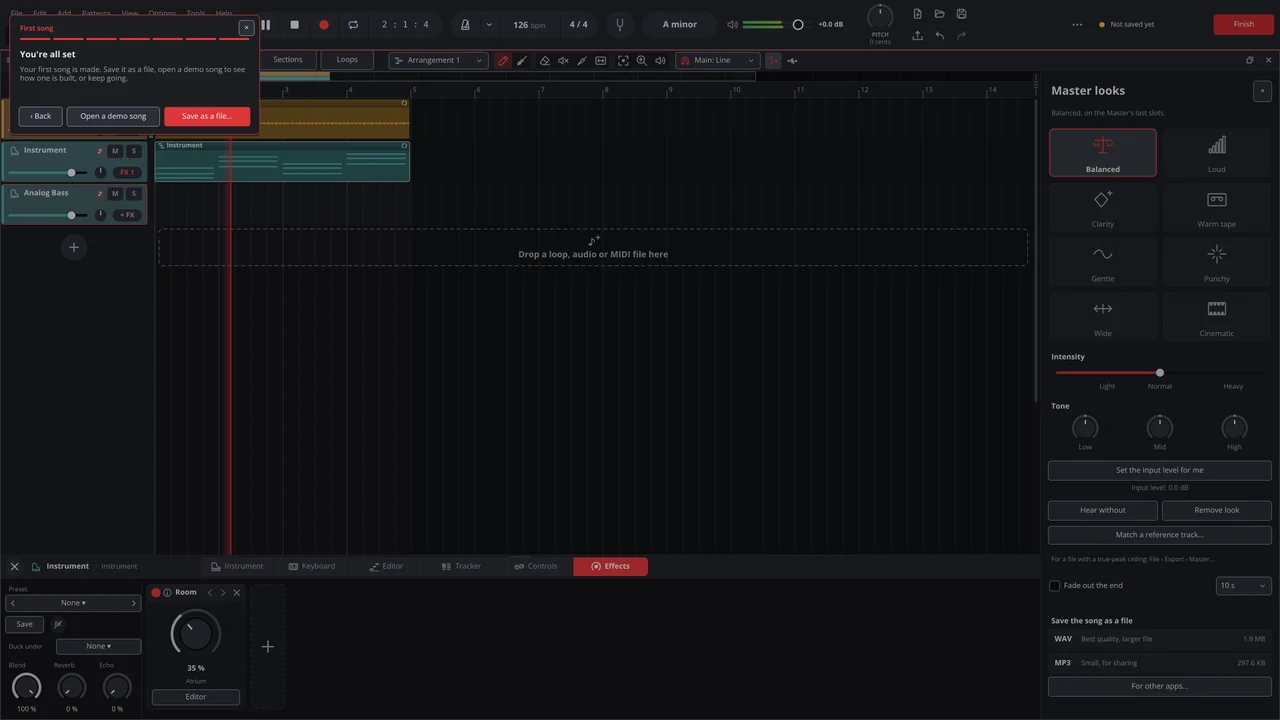
- Chords: in the track's Keyboard tab choose
Chord padand record a few chords, or click notes into the Editor tab. - A voice or a loop: record your voice on a Voice track, or add a loop from
Loops: it is moved to the song's key. - An effect: in a track's Effects tab add Room or Echo and turn its knob.
- Finish: click
Finishand pick a look for the whole song. Then save it as a file, or open a demo song to see how one is built.
Closing the card pauses the tour; Help brings it back. See also Your first song.