 LYNX SHARE
Open the editor
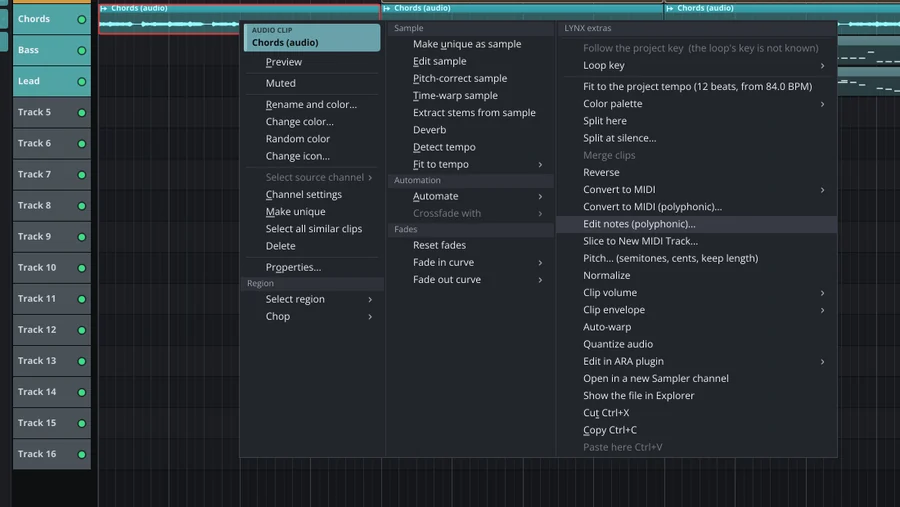
- Right-click an audio clip in the Playlist and choose
Edit notes (polyphonic).... - The first time, LYNX SHARE analyses the clip in the background, with a progress bar and
Cancel. The notes are saved with the project, so it never analyses the same clip twice.
Move a note
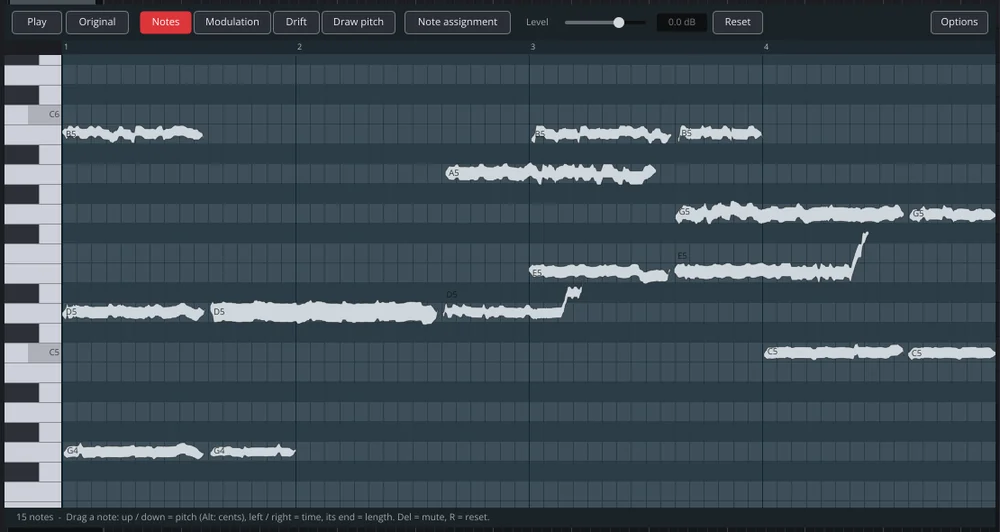
- Each note is a blob on its own row, chords stacked, over a keyboard.
- Drag a note up or down to change its pitch by semitones (hold
Altfor cents), or left and right to move it in time. - Shift+click adds notes to the selection. The
Levelslider sets their level,Delmutes them andRresets them. - Edited notes turn orange, with their old place outlined.
Listen
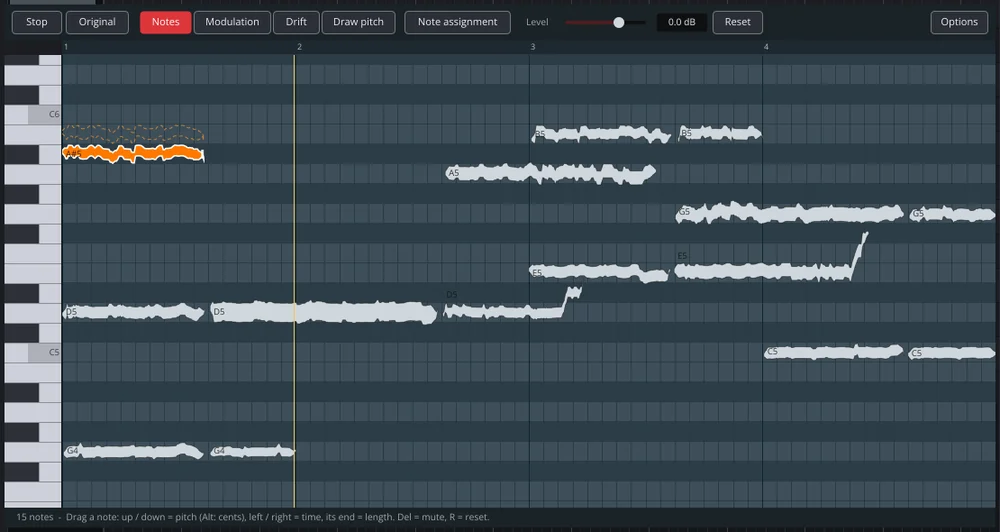
Playin the editor plays the edited clip;Originalplays it as it was.- Each edit is one undo step of the song, and the clip plays the edited audio in the Playlist.
Good to know
- The tools at the top add pitch modulation, pitch drift and drawn pitch lines, as in Melodyne.
- With Melodyne installed, its ARA editor opens on the same clips (Windows and macOS).