 LYNX SHARE
Before you start
- Plug in a microphone or a headset, and choose it in
Options › Audio settings...as the input device. - Wear headphones, so the microphone does not pick up the playback.
Add a Voice track
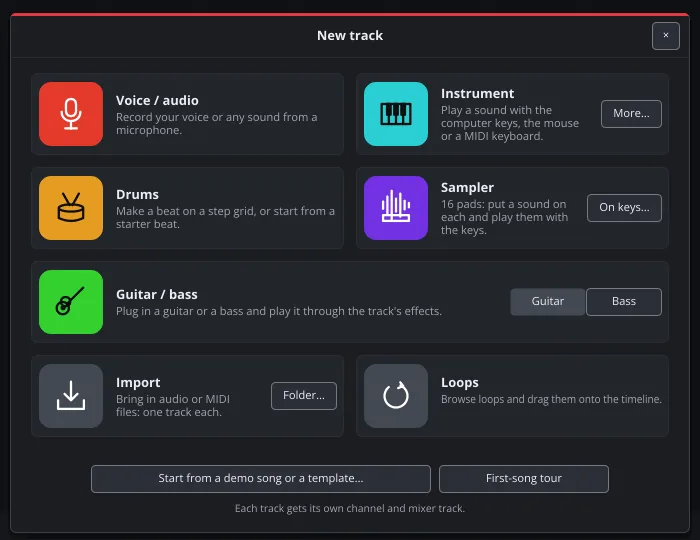
- In the Simple layout, click
+ Add track. - Click
Voice / audio. A Voice track appears under the others, armed to record from the first input of your audio device. - The dock under the timeline shows the track, with its
Input Levelmeter on the right. Sing a note and watch it move.
The + Voice track button of the Next: 3 things to try card does the same.
Record a take
- Press Record in the toolbar.
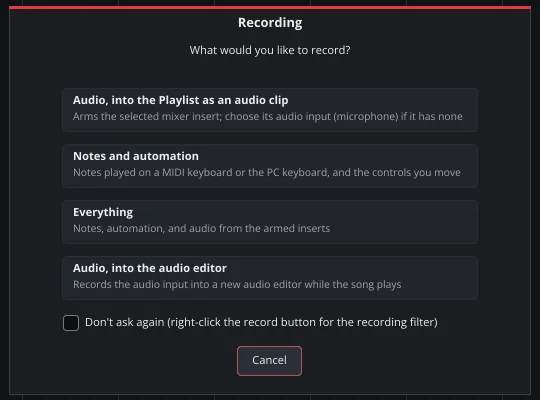
- The first time, a window asks what to record. Choose
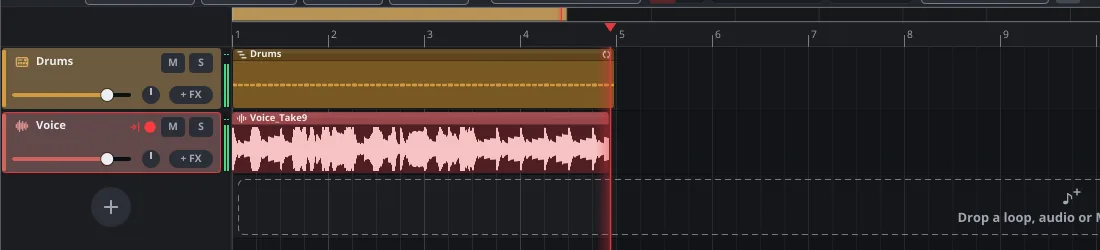
Audio, into the Playlist as an audio clip. TickDon't ask againto keep that choice. - Press Play, then sing or speak. The take is drawn on the Voice track while you record.
- Press Stop. The take is now an audio clip on the timeline.
- Press Record once more to switch recording off, so the next Play only plays.
Add an effect and listen
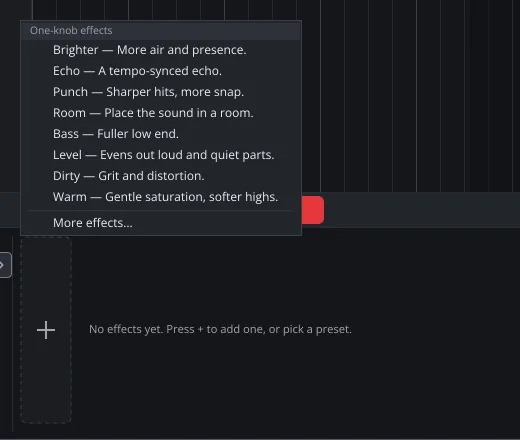
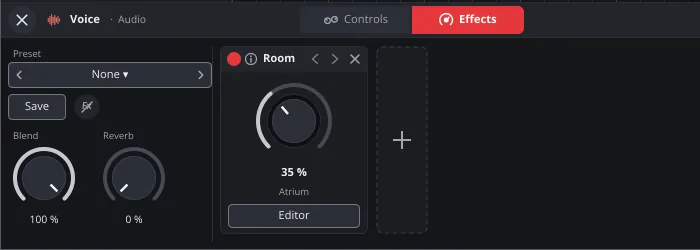
- In the dock, click
+and pick one of the one-knob effects.Roomputs your voice in a room,Echoadds a tempo-synced echo andWarmadds gentle saturation. - Turn the effect's knob to set how much of it you hear.
Editoropens all of its controls. - Press Play to hear your voice with the beat.
Good to know
- No sound coming in? Check the input device in
Options › Audio settings.... A Voice track records from the device's first input. Presetabove the effects loads a ready-made chain of effects for a voice.Clean voicein the track's menu reduces background noise.
See also Recording and Simple layout.