 LYNX SHARE
Choose the Simple layout
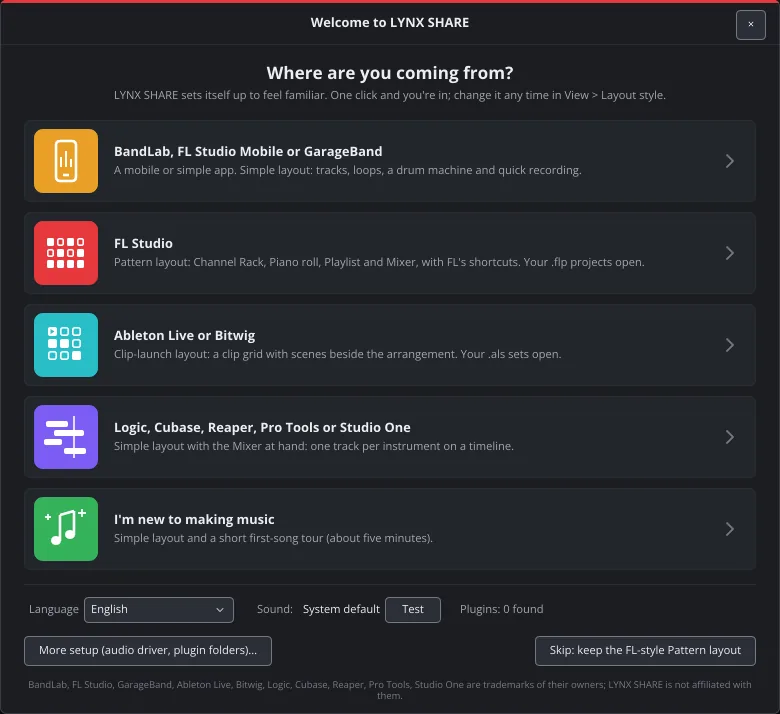
- Start LYNX SHARE. The first time, a welcome card asks where you are coming from.
- Click
BandLab, FL Studio Mobile or GarageBand. The window switches to the Simple layout, and a starter beat is placed on a Drums track.
Without the card, choose View › Layout style › Simple layout, click + Add track, then Drums, and pick one of the starter beats. The same menu switches layouts at any time. The project stays as it is.
Play the beat
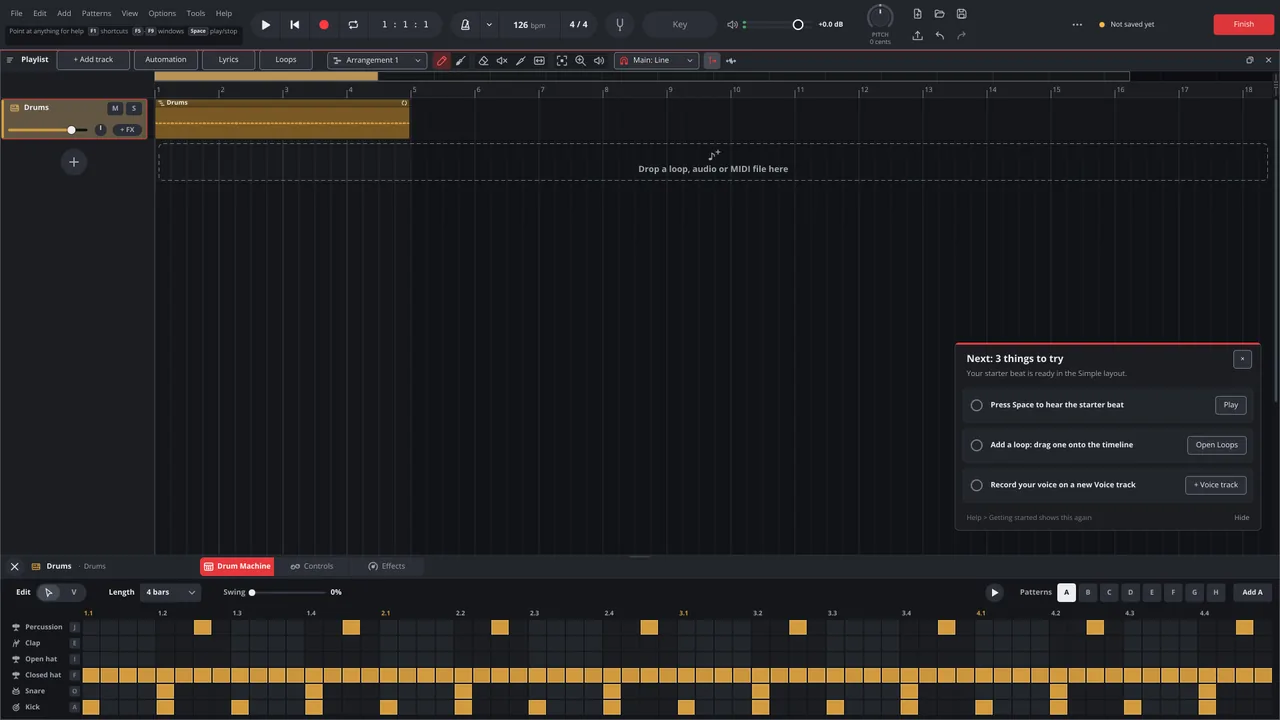
- Press Play in the toolbar, or the space bar.
- Press it again to stop.
The dock under the timeline shows the selected track. For a Drums track it opens on the Drum Machine tab.
Change the beat

- Click a grey square of the Drum Machine to add a hit there. Click a lit square to remove it.
- Each row is one sound of the kit: kick, snare, hats, clap and percussion.
Lengthsets how many bars the pattern has, andSwingmoves every second step later.
The letter beside each row is its key on the computer keyboard: press it to play that sound.
Set the tempo

- Drag the tempo up or down, or double-click it and type a number.
- Play the beat again to hear it at the new speed.
Next steps
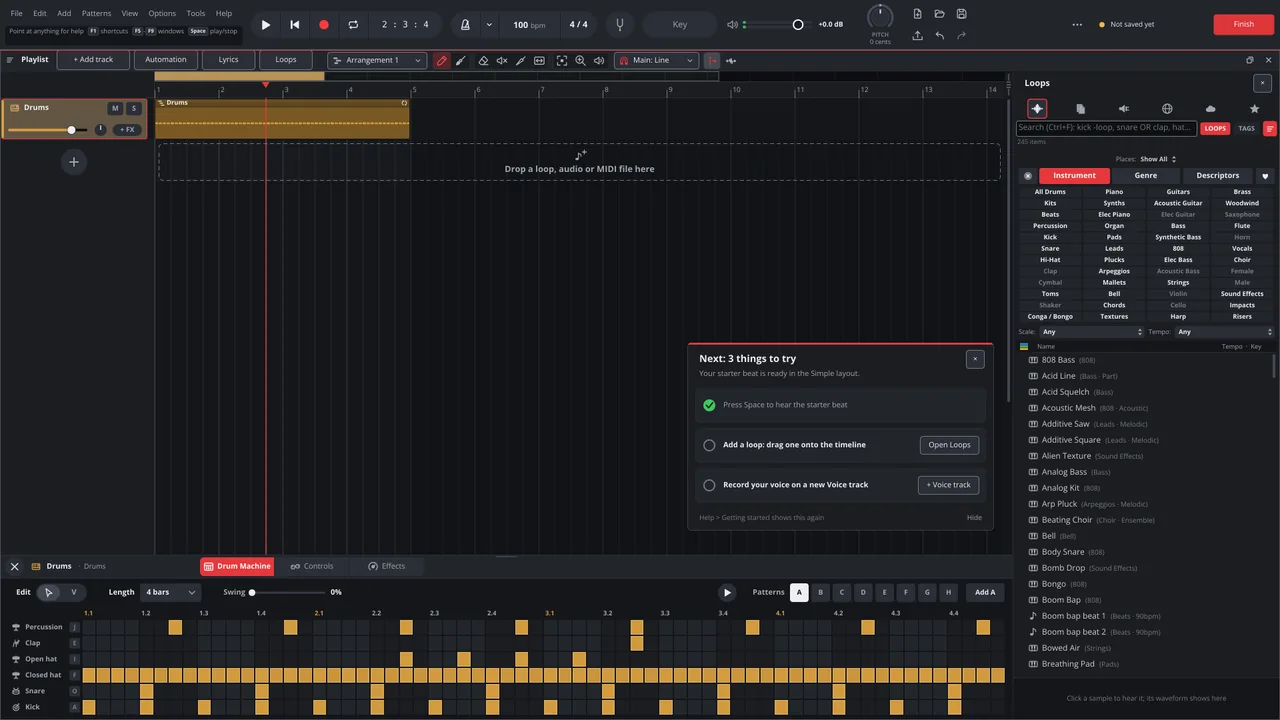
- The
Next: 3 things to trycard ticks each step off by itself.Open Loopsopens the Loops panel: drag a loop onto the timeline. A loop follows the project's tempo and key. - Record your voice on a Voice track.
Finishsaves the song as WAV or MP3.
See also Simple layout and Coming from BandLab, FL Studio Mobile or GarageBand.