 LYNX SHARE
MIDI settings
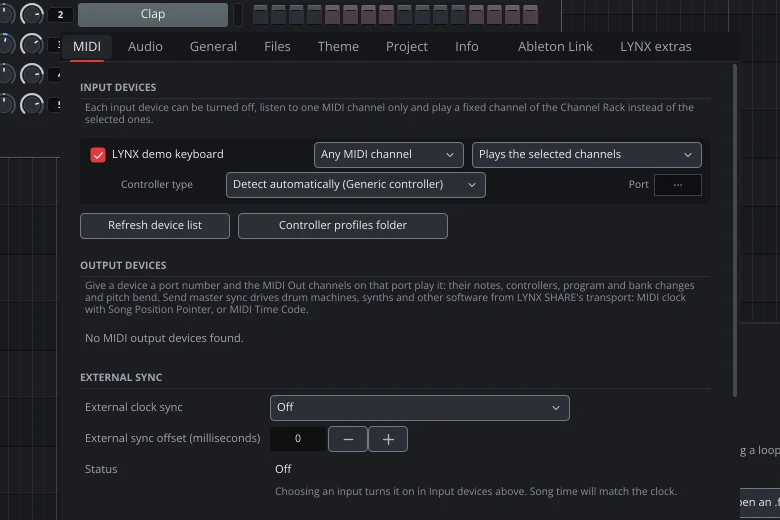
- Plug in your keyboard (USB or a MIDI interface), then choose
Options › MIDI settings...(F10). - Your keyboard is listed under Input devices and switched on. It listens to any MIDI channel unless you pick one.
- It plays the selected channels of the Channel rack, or always the channel you choose.
Play an instrument

- Select an instrument in the Channel rack and play: you hear it at once.
- No driver or setup is needed: class-compliant keyboards just work.
Record notes

- Press Record, choose
Notes and automation, then press Play and play your part. - Stop: the notes are in the Piano roll, ready to edit and quantize.
See also MIDI controllers.