 LYNX SHARE
Audio Effect Rack
Ableton Live-style rack in a mixer slot. Parallel chains of effects share the input and are summed, with chain-select zones, chain volume and pan, and 16 macros.
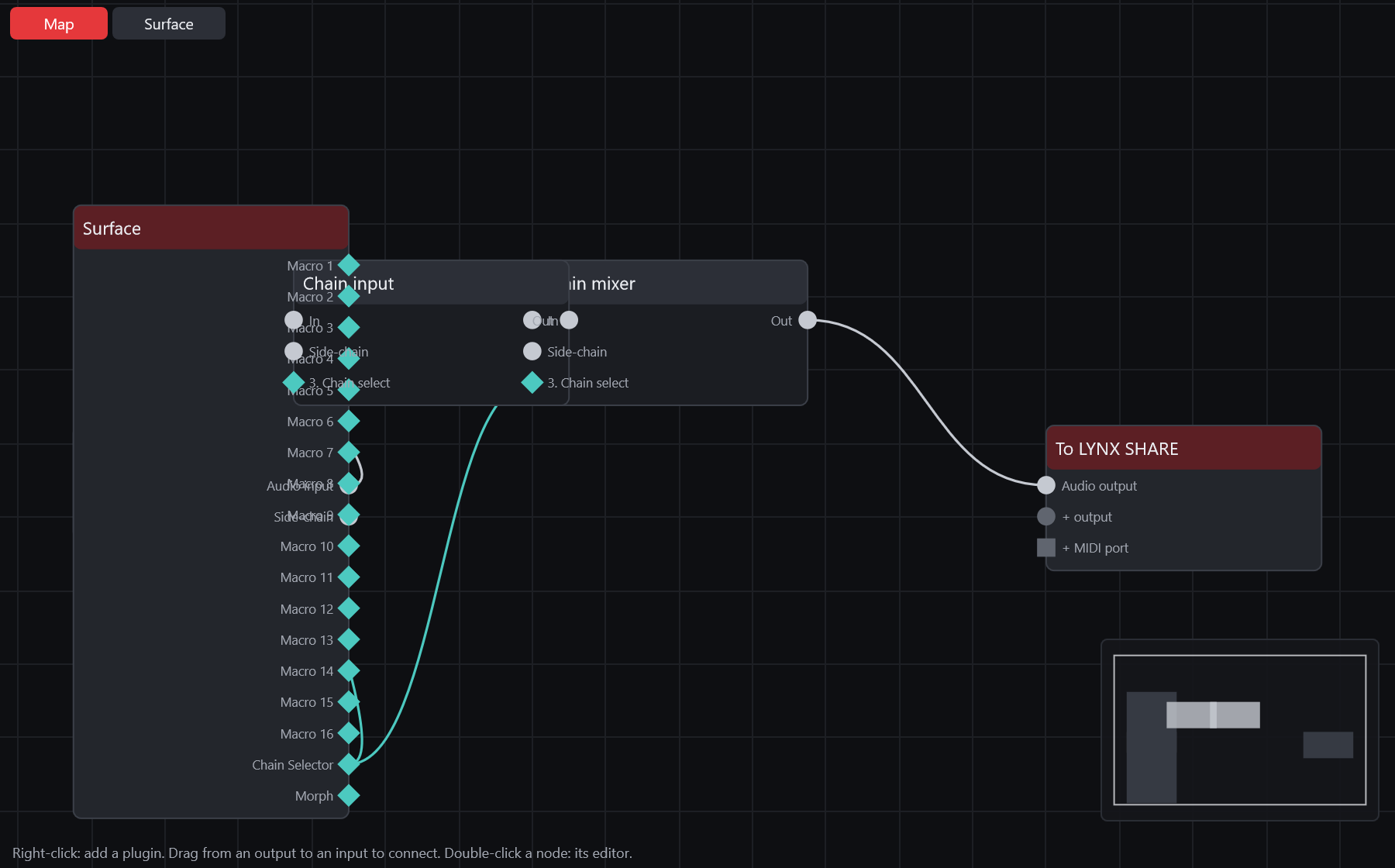
Audio Effect Rack is a mixer slot effect built on Patcher in rack mode. Every chain gets the same input and the outputs of the chains are summed, with delay compensation between them. Add it from the mixer slot's plugin picker as Audio Effect Rack, or group existing slots into one. Audio Effect Racks in Ableton Live sets (.als) open as racks, and racks are written back when you export a Live set.
Controls
| Control | What it does |
|---|---|
| Chain list | One row per chain with its name, volume, pan, an on switch and S for solo. The chain menu has Add chain, Rename, Duplicate, Delete, Move up and Move down. |
| Devices | The effects of the selected chain. The add menu offers Effects, Plugin effects and Racks, so racks can be nested. |
| Chain, Hide | Show or hide the chain-select zone editor. An Audio Effect Rack has no key or velocity zones. |
| Zone bars | Drag a bar or its ends to set the chain's zone, 0 to 127. The upper strip sets the fades, which scale the chain's output. |
| Chain Selector | The value the zones are compared with. A macro can drive it. |
| Macros | Up to 16 knobs, each with a name plate and a value. + and - show more or fewer: 1, 2, 4 and so on up to 16. |
| Map | Map mode. Each macro gets a Map button that opens a menu of the chains, their devices and parameters, Chain Volume, Chain Pan and Chain Selector. The mapping list shows Macro, Path, Name, Min and Max, with Invert Range and Delete. |
| Rand | Gives every mapped macro a random value. A macro's menu has Exclude Macro from Randomization. |
| Macro Variations | New stores the macro values. A variation has Launch, Overwrite, Rename, Duplicate and Delete. |
| Group into Audio Effect Rack | In the mixer slot menu: moves the effect into a new rack with one chain. Group all into Audio Effect Rack moves the whole chain of slots. The sound stays the same and automation of the moved parameters drives the rack's macros. |
| Ungroup | In the mixer slot menu of a rack with one chain: puts its devices back into the slots. |
Tips
- Outside a zone that ends without a fade the chain's input closes, so its tails ring out.
- From a Live set a rack keeps its chains, zones, chain volume and pan, macros, variations and nested racks. Third-party plugins in the chains are kept. Live's own devices are dropped and listed in the import report.
- A macro mapping on a VST3 plugin parameter in a Live set is not kept. On export, LYNX SHARE built-in effects in a chain are not written; only VST2 and VST3 plugins and nested racks are.
- Ungroup is not available for a rack with more than one chain.