 LYNX SHARE
Emphasizer
Effect with input gain, an emphasis amount, output level, soft clipping and level matching, and a 2 ms look-ahead that is reported for delay compensation.
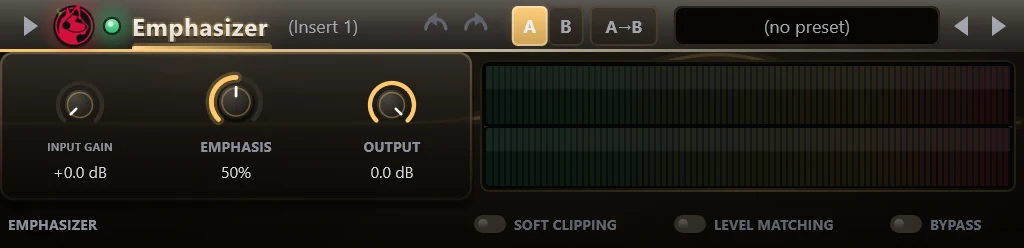
Emphasizer is a look-ahead limiter with one main knob. The input gain feeds a peak detector, the gain reduction is applied to the signal delayed by 2 ms, and the result is clipped and sent to the output gain. It loads the settings of the FL Studio Emphasizer from an imported .flp project and reports the 2 ms look-ahead for delay compensation.
Controls
| Control | What it does |
|---|---|
| Input gain | Gain before the limiter, 0 dB to +24 dB. |
| Emphasis | Amount, 0 to 100 percent. It scales the level that the peak detector sees. |
| Output | Output level, up to 0 dB. |
| Soft clipping | Replaces the hard clip at full scale after the limiter with a soft clip that starts below it. |
| Level matching | Divides the output by the input gain, so raising Input gain does not raise the level. |
| Bypass | Crossfades to the delayed dry signal instead of switching hard. |
Tips
- With Level matching on, Input gain can be raised to drive the limiter harder without the output getting louder by the same amount.
- The meter strip on the right shows the levels.