 LYNX SHARE
Transient Processor
Shapes the attack and release of a sound with separate shape controls, a gain, a drive and a frequency split.
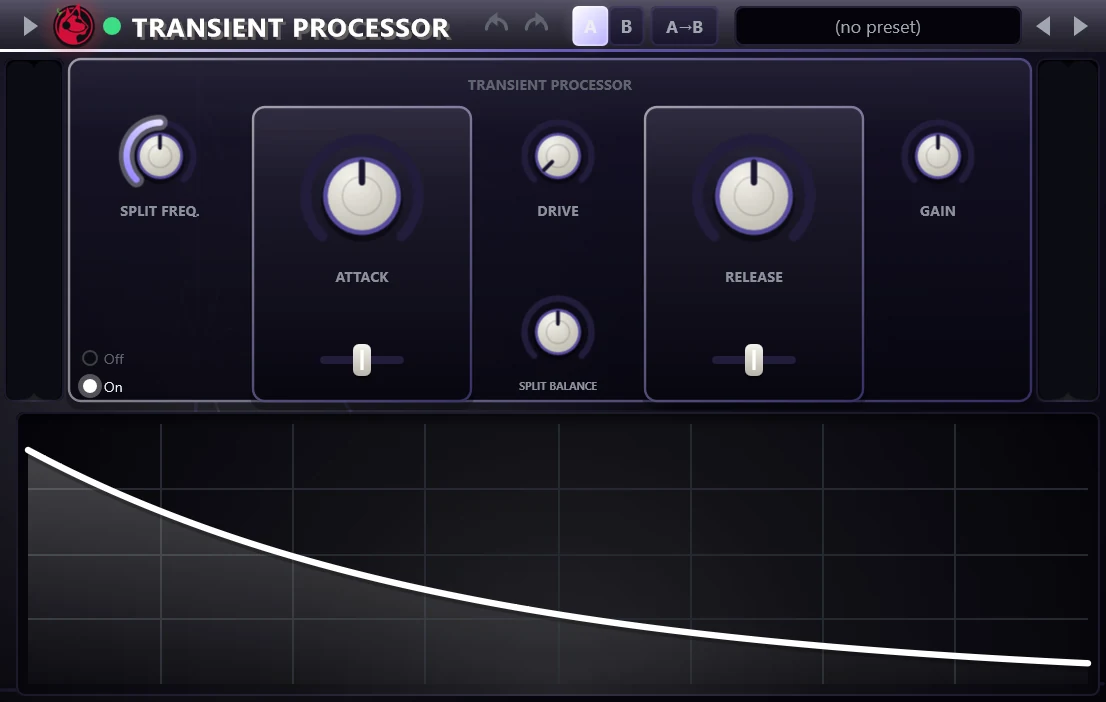
Transient Processor raises or lowers the attack and the release part of a sound. It splits the signal at a frequency, detects transients in the part above the split and applies the gain change there. It loads the settings of the FL Studio Transient Processor from an imported .flp project.
Controls
| Control | What it does |
|---|---|
| Attack | Bipolar. Right of centre makes the onsets louder, left of centre softens them. |
| Attack shape | Slider under Attack with three positions, Sharp, Mid and Slow, that set how fast the attack detector follows the signal. |
| Release | Bipolar. Right of centre lifts the tail after each hit, left of centre lowers it. |
| Release shape | Slider under Release with three positions, Sharp, Mid and Slow, that set the timing of the release detector. |
| Drive | Drives the processed band into a soft saturation stage and divides the level back out afterwards. |
| Split freq. | Frequency of the split, 5 Hz to 1000 Hz. Only the part above it is processed. |
| Split balance | Balance between the unprocessed low part and the processed high part. Both are at full level in the centre. |
| Gain | Output gain, from -9 dB to +9 dB. |
| Off / On | Off passes the input through unchanged. |
Tips
- The view under the controls shows the gain, and the meters at the sides show input and output.
- About 1.5 seconds after the input goes silent the effect stops processing and passes the signal through until sound returns.