 LYNX SHARE
Auto-pan
Moves a sound between left and right from a tempo-synced LFO or a step pattern. It can also output only a control signal.
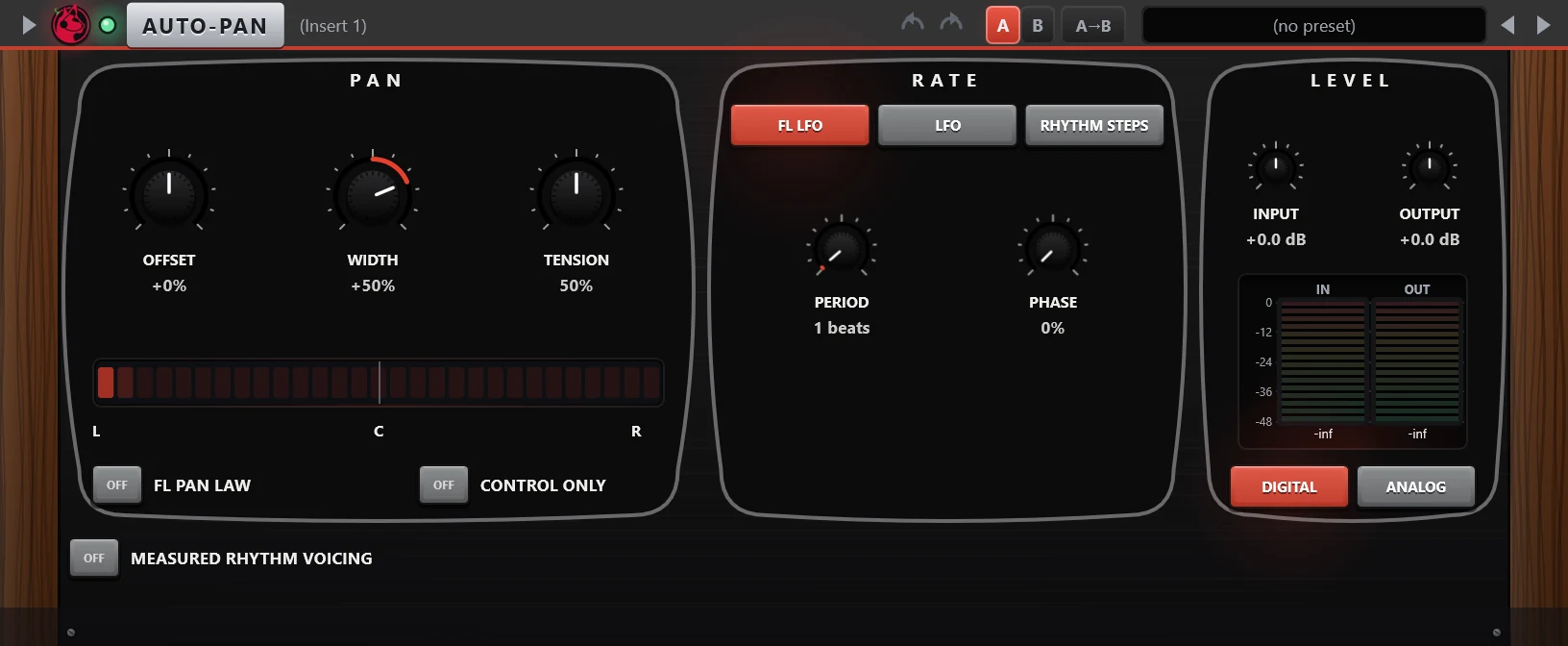
Auto-pan moves a track between left and right. The movement comes from one of three sources: FL LFO, a triangle wave locked to the song position, LFO, a free rate in Hz, or Rhythm steps, a number of steps on the beat grid. A strip in the Pan section shows the current position.
Controls
| Control | What it does |
|---|---|
| Offset | Centre position of the pan movement. |
| Width | How far the sound swings to each side. The knob is bipolar, and negative values reverse the direction. |
| Tension | FL LFO source. Bends the triangle wave. In the centre it has no effect. |
| Smoothing | LFO and Rhythm steps sources. From a hard jump between positions to a soft glide. |
| FL LFO / LFO / Rhythm steps | Chooses the source of the movement. The Rate section shows the controls of the chosen source. |
| Period | FL LFO source. Length of one cycle in beats, up to 64. |
| Phase | FL LFO source. Shifts the start of the cycle. |
| Rate | LFO source. Free rate from 0.01 Hz to 10 Hz. |
| Steps and step note | Rhythm steps source. 2 to 8 pan positions, each lasting a note value from 1/1 to 1/32. |
| Direction | LFO and Rhythm steps sources. Back and forth, left to right, or right to left. |
| FL pan law | FL LFO source. Pans with FL Studio's pan law, which folds the far side into the near side, instead of only turning the far side down. |
| Control only | Leaves the audio untouched and provides the movement as a live automation source. |
| Input / Output | Gain before and after the panner, -24 dB to +24 dB each. |
| Digital / Analog | Analog adds an asymmetric soft saturation stage. |
| Measured rhythm voicing | Switches to a second panner model with its own panel: Offset, Width, Smoothing, a Rate in Hz or Beats, pattern keys, Phase, Amount and a Tweak page. |
Tips
- Use Control only when the pan movement should drive another parameter instead of panning the audio.
- With the FL LFO source the movement follows the song position, so it lands on the same place of the bar on every playback.