 LYNX SHARE
Peak Controller
Follows the level of the audio and an LFO and turns them into control values that can move other plugin parameters.
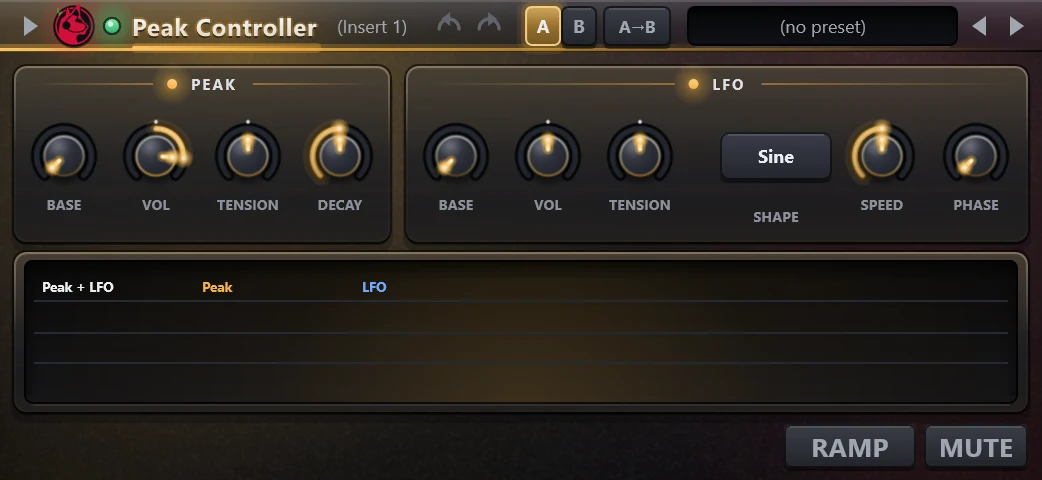
The Peak Controller passes audio through unchanged and measures its peak level. That level, mixed with an LFO, becomes a control value you can link to other parameters, for example to duck a pad from a kick. FL Studio's Fruity Peak Controller loads into it.
Controls
| Control | What it does |
|---|---|
| Base | Base value of the peak output. |
| Vol | Amount of the peak signal. |
| Tension | Shapes the curve of the peak response. |
| Decay | How slowly the detector falls after a peak. |
| LFO base | Base value of the LFO. |
| LFO vol | Amount of the LFO. |
| LFO tension | Shapes the curve of the LFO. |
| Shape | Waveform of the LFO. |
| Speed | Speed of the LFO. |
| Phase | Phase of the LFO. |
| Ramp | Limits how fast each output can change. |
| Mute | Silences the audio that passes through. |
Tips
- The graph shows the combined Peak and LFO output.
- The LFO follows the song position while the song plays.