 LYNX SHARE
LYNX Soundfont
Plays SoundFont 2 and 3 banks and SFZ instruments, with preset search across all your SoundFonts, envelope, filter and built-in reverb and chorus.
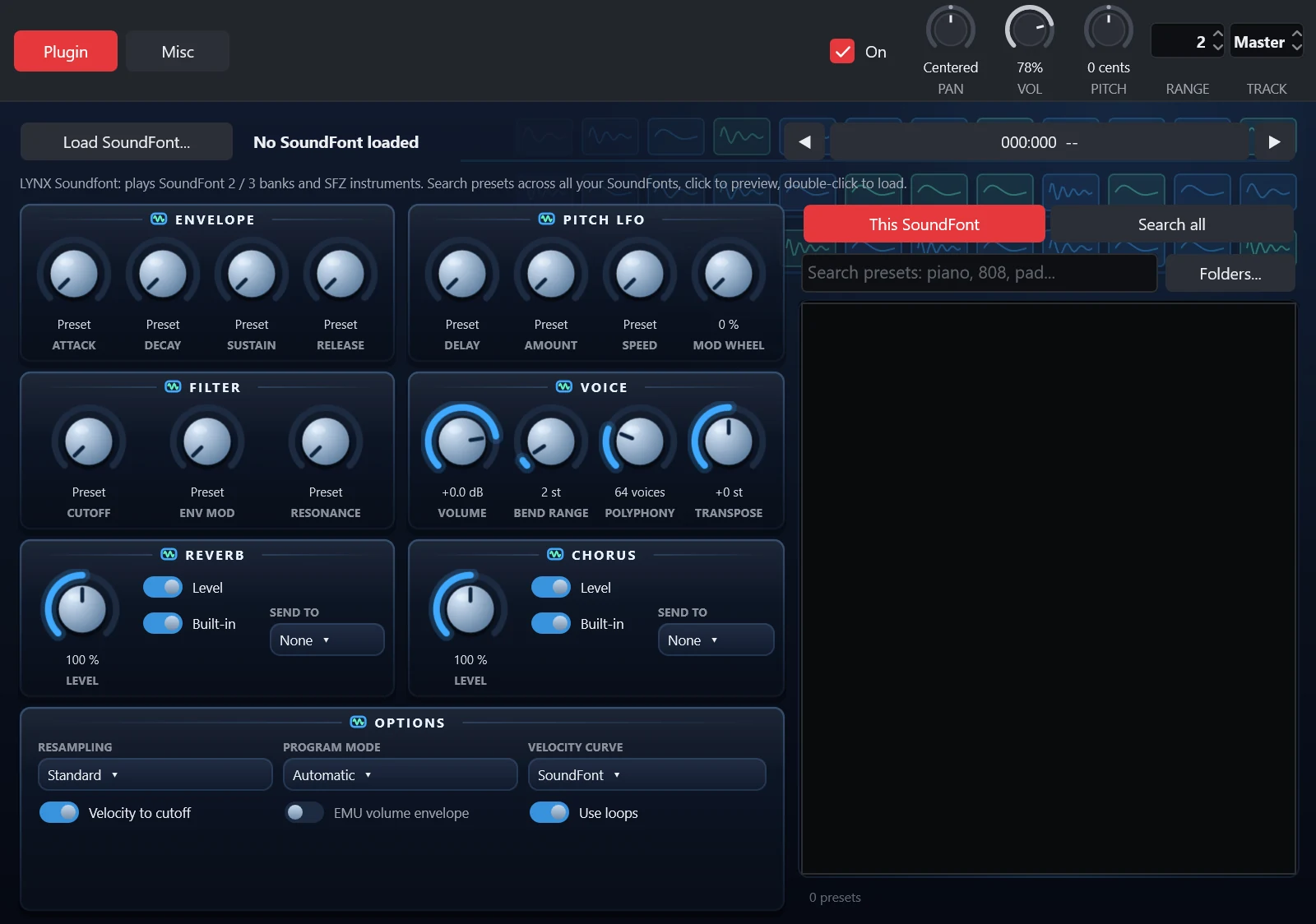
LYNX Soundfont is the generator for SoundFont banks and SFZ instruments. Load a file, pick a preset and play it, or search the presets of every SoundFont in your folders and preview them with a click. It opens the settings of FL Studio's SoundFont player when a .flp project is imported.
Controls
| Control | What it does |
|---|---|
| Load SoundFont... | Opens a .sf2, .sf3 or .sfz file. |
| Search all | Searches every preset of every SoundFont in your folders. Click previews, double-click loads it into the channel. |
| Folders... | The folders searched for SoundFonts, and a rescan. |
| Attack, Decay, Sustain, Release | Envelope of the voice. |
| Pitch LFO: Delay, Amount, Speed, Mod wheel | Vibrato of the voice and how far the mod wheel drives it. |
| Filter: Cutoff, Env mod, Resonance | Low-pass filter of the voice. |
| Volume | Channel volume of the player. |
| Bend range | Pitch bend range. |
| Polyphony | Maximum number of voices. |
| Transpose | Shifts the pitch. |
| Reverb and Chorus: Level | Send amount of the player's own reverb and chorus. |
| Send to | Also sends the effect input to a mixer insert, for a reverb or chorus of your own. |
| Resampling | How transposed samples are interpolated, from linear to 16-point sinc. |
| Use loops | Plays the loops of the samples. Off, every sample plays once. |
Tips
- Drag a preset from the list onto the Channel Rack to get a new channel with it.
- The reverb and chorus are LYNX SHARE's own, not the sound of FL Studio's built-in ones.